Didn't find what you were looking for?
We have advanced search options to make it easier to locate posts, questions and answers on this community.
More information can be found at Advanced Search Options
If you are looking for something specific, please check if someone else has already asked or answered the same question.
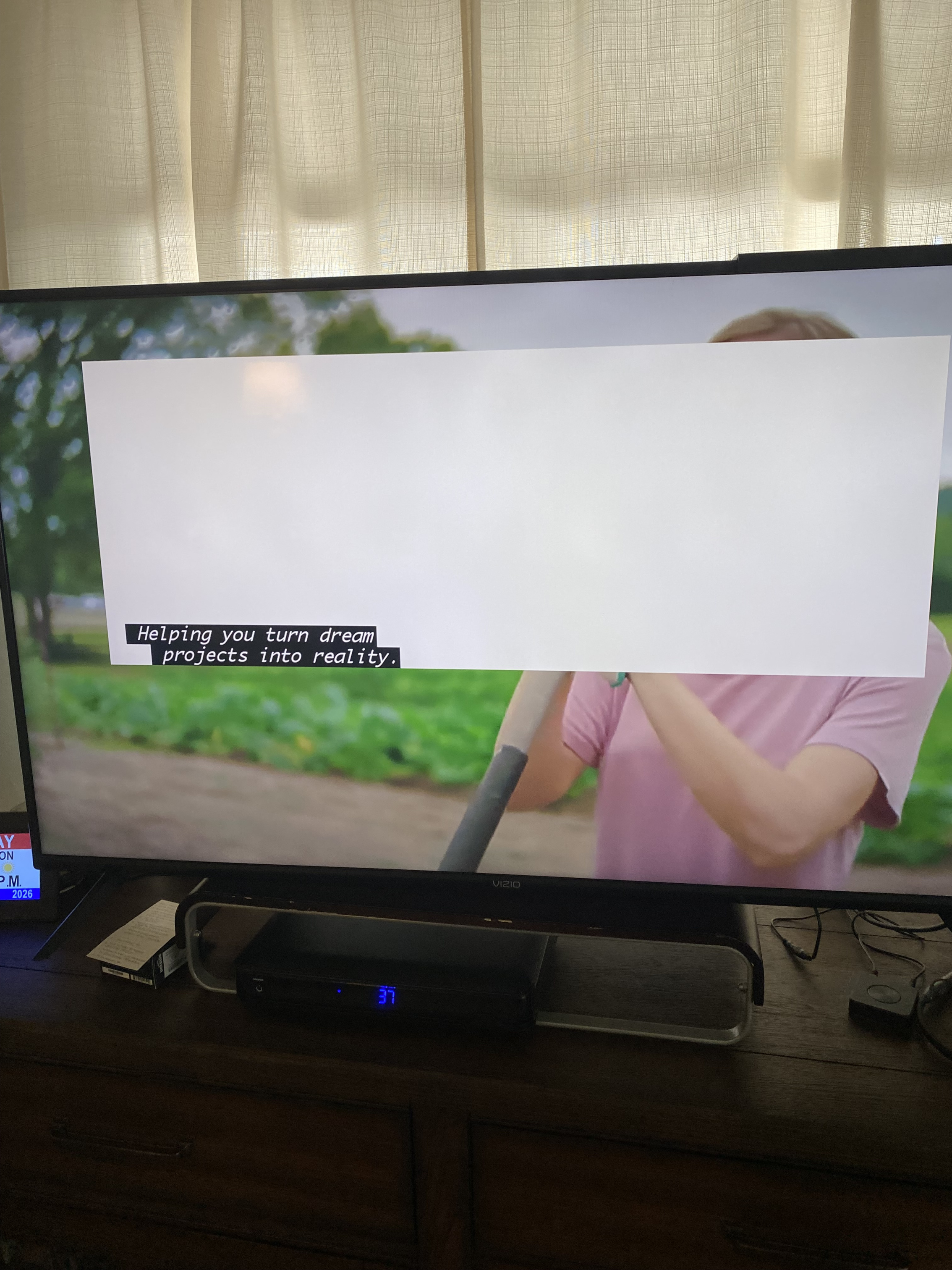
Why, at times is the closed captioning in a huge white box that covers most of the screen?

Answers
-
Welcome to the forums!
You need to check and change the Closed Caption settings on your box:
Your TV or cable box (e.g., Spectrum) has the caption background opacity set to "solid" or "white" instead of "transparent" or "translucent"
Satch
0 -
Hello @C_A_M;
Welcome to the Community Forums. The size of the box might be triggered by some captioning information sent by the channels. It may have additional spacing in them that is causing it to display the larger box. I would recommend you go go the settings of the cable box and make adjustments to the Closed captioning settings and it may help prevent this. You may need to try several different settings including the font size and type. You may also want to try transparency for the background and the box itself would not show.
1
