Xumo DVR image quality

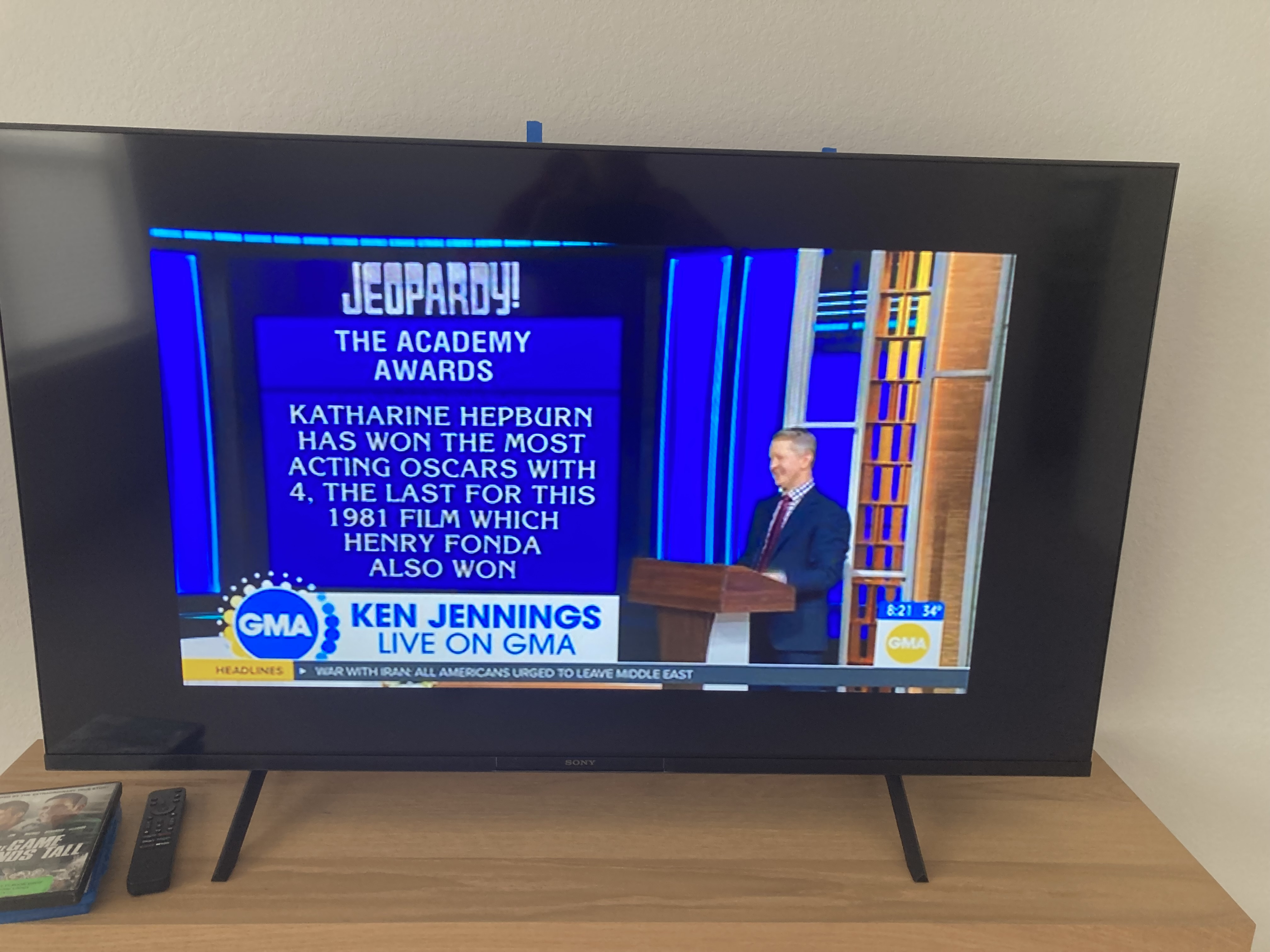
I'm a long time Time Warner/Spectrum user for my cable service. I've been a big fan of their hard drive DVR service. We recently moved into a new home and have been giving their Xumo streaming box a try in place of the DVR. From a functionality standpoint, I'm missing my hard drive DVR. While I can probably live with that, I'm also finding that the Xumo cloud based recordings are sometimes not full screen and sometimes are (much) less than a 2180 resolution. I don't ever recall experiencing those video drawbacks with my physical hard drive DVR recordings. Have any of you used both recording options and have you experienced the similar results? Were you able to do anything to resolve the shortcomings of the Xumo device? While the Xumo service saves a few bucks over the hard drive DVR service, I'm in the process of installing an 85" Bravia 7 display and don't want to have to live with the video shortcomings on the new display. Thanks for any feedback!
Comments
-
This content has been removed.
-
Thanks, Satch. I did verify the resolution was set to 2160p but I didn't reboot the box. I'll try that and see if it helps. I thought I might also try running a Cat6 cable and connecting it to the box. Would the quality of signal also cause deviations in the size of the image?
0 -
This content has been removed.
-
Fortunately the storms didn't affect our area. The Xumo box was a self install but the other Xumo box in the house was installed by the tech when we initiated our new service in January. It's a new home and a new install so I'd not expect old wiring to be an issue. Again, thanks for your help!
1 -
I experienced the problem (reduced size image and very poor image quality) on the Xumo DVR again yesterday. Since I was recording the show at the same time, I switched over to watching it live and found the image size and quality with the live show were perfect. I just contacted Spectrum about the problem. They did a firmware update on the router so I can see if that makes a difference. If not, it sounds like my next option would be to ditch the Xumo DVR service and go back to the Spectrum hard drive DVR.
1 -
Since my last post I have had the same problems with my live viewing as well. I contacted Spectrum and they sent a tech out to check my equipment and signal. The tech reported that they have this problem with certain networks (in my case it's been CBS and ABC). He also reported that certain frequencies in my spectrum do not have the proper signal strength. He explained that that was something they needed to work on and should be able to rectify. It's been a week but I'm still experiencing the problem.
1 -
This content has been removed.
-
Here are a couple screen shots. The full size higher resolution image is from ABC channel 12. The smaller lower resolution image (it actually looks a little better in the photo than on the screen) is ABC channel 7. It is also a (current) problem with NBC channel 5 and Fox channel 13. What the tech explained to me was there was a problem with a portion of my frequency spectrum but also that there was some sort of issue with the signals coming from the networks themselves. They've decided to send a tech back today to look at my signal and equipment again.
1 -
My tech today confirmed that the problem with certain frequencies in my spectrum has been corrected. He explained that some moisture had gotten into our connection at the street causing corrosion on the connections. He offered additional explanation regarding our sub-standard images. It turns out that the Chicago network affiliates only provide Spectrum with standard def signals in this area. That's why I'm seeing the difference in image quality between Chicago and Milwaukee networks. He said it goes back to an old agreement (disagreement?) between those Chicago networks. That being the case, to assure I enjoy high def images, I need to make sure my DVR recordings and live viewings are based on the Milwaukee stations.
1