Didn't find what you were looking for?
We have advanced search options to make it easier to locate posts, questions and answers on this community.
More information can be found at Advanced Search Options
If you are looking for something specific, please check if someone else has already asked or answered the same question.
Paramount plus issues?

when I try to log into the paramount plus included with my plan with the “connect with provider” option it gives me “complete registration” and will not let me proceed - everything is grayed out. Any suggestions?
Answers
-
Hi @Lermis, welcome to our community! I'm sorry for the trouble logging in to Paramount Plus. Have you tried clearing your cookies and cache, and/or using a different device? If it still happens could you send a screenshot of what's grayed out so I can better understand the issue?
2 -
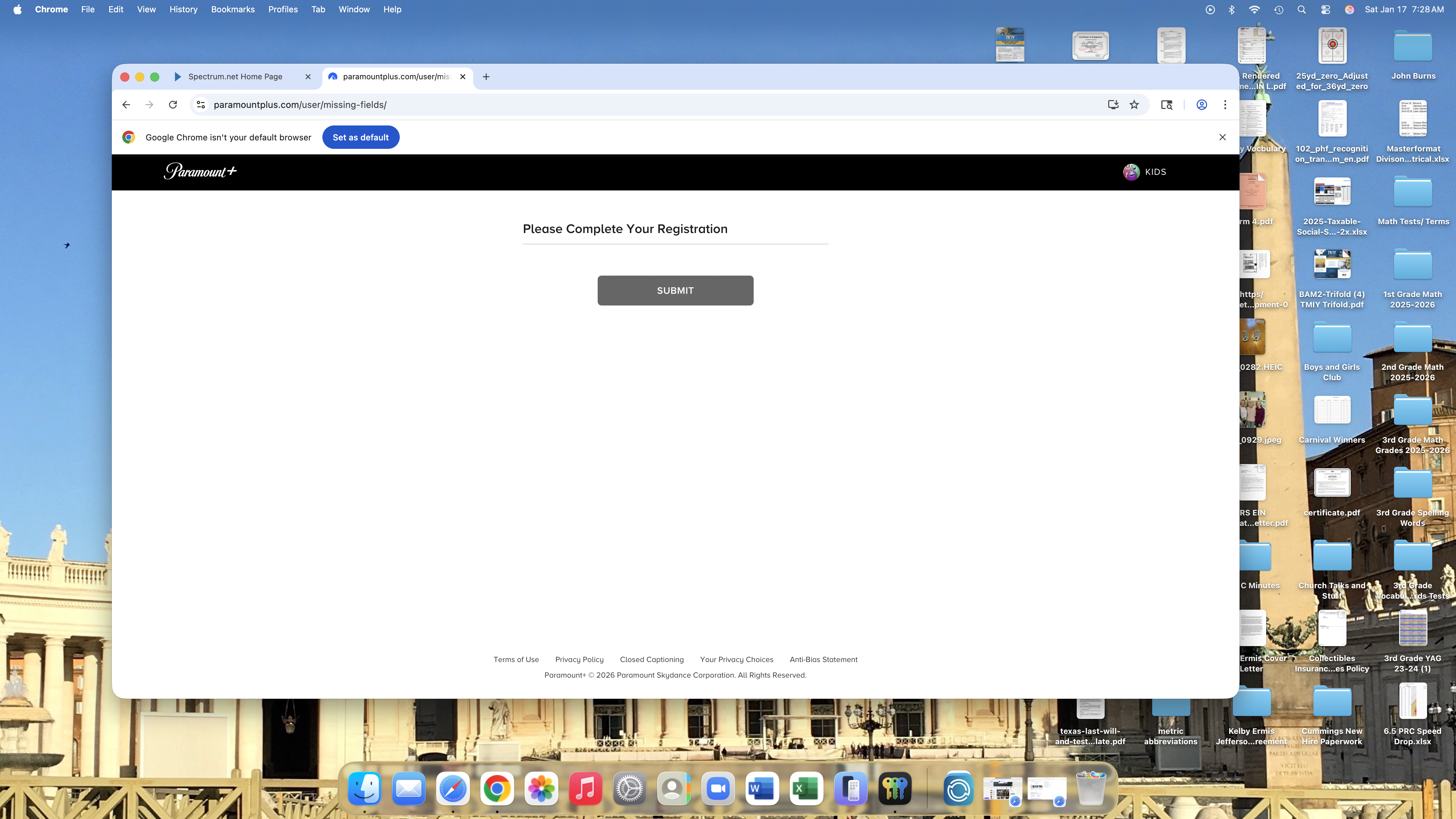
i went to Google browser in a private window, cleared by cache, and went to "start streaming" on my Spectrum log in. It indicates in my account that i have the Paramount plus with ads included with my package. When i click on start streaming in appears to be logging in but goes to the screen above and i can't click on anything on the page.
0 -
This content has been removed.
-
I did that multiple times on Mac and iPhone. I go to spectrum and login. I then go to my streaming and it shows paramount plus with ads radio button checked. When I click on watch now that screen I showed you pops up.
0 -
This content has been removed.
-
I did what you said in a private window and it took me back to the same screen. I have an expired paramount account but I am not logging into that. I am going through spectrum and using my spectrum creditials.
0 -
I had to contact paramount plus via a chat and they deleted my previous account that had expired. I was then able to log into the app via the spectrum sign in route.
3 -
Hey @Lermis! I am so glad they were able to get to the root of the issue. Most third-party app issues will typically have to go through the app customer service itself. If you do continue to experience any Spectrum related issue with your service, please know we are here to help 24/7 via this platform and others, including Reddit.
2 -
Thanks so much for your help. i just wanted to report back and let you know it was not a Spectrum issue but a Paramount Plus issue. This may help someone else having the same issue.
2 -
This content has been removed.
-
@Lermis : I salute you and Jilliana and William for keeping it real and helping others to realize how important it may be to reach out to 3rd-party streaming service support to resolve such idiosyncrasies with their service. 🫡 ☘️
1