Didn't find what you were looking for?
We have advanced search options to make it easier to locate posts, questions and answers on this community.
More information can be found at Advanced Search Options
If you are looking for something specific, please check if someone else has already asked or answered the same question.
Packet Loss

Hi, I need to report a persistent infrastructure issue in my area. I've performed several MTR and Traceroute tests that consistently show a significant packet loss at a specific regional hop: 076-036-186-175.
This node is discarding packets before they even leave the Spectrum network, which is making my connection unusable for real-time gaming (like Valorant). I have already ruled out my local hardware by testing with a different ISP where the issue disappears.
Can you please open a ticket for Outside Plant (OSP) technicians to investigate noise or saturation at that specific node?
High Point, NC, 27262
Comments
-
Hello @NorvyT,
Welcome to our community forum and thank you for bringing this to our attention. We were able to access your account using the information provided via the registrations process and cannot confirm any signal discrepancies. However, we would like the opportunity to have one of our technicians dispatched to investigate. Would that be okay?
2 -
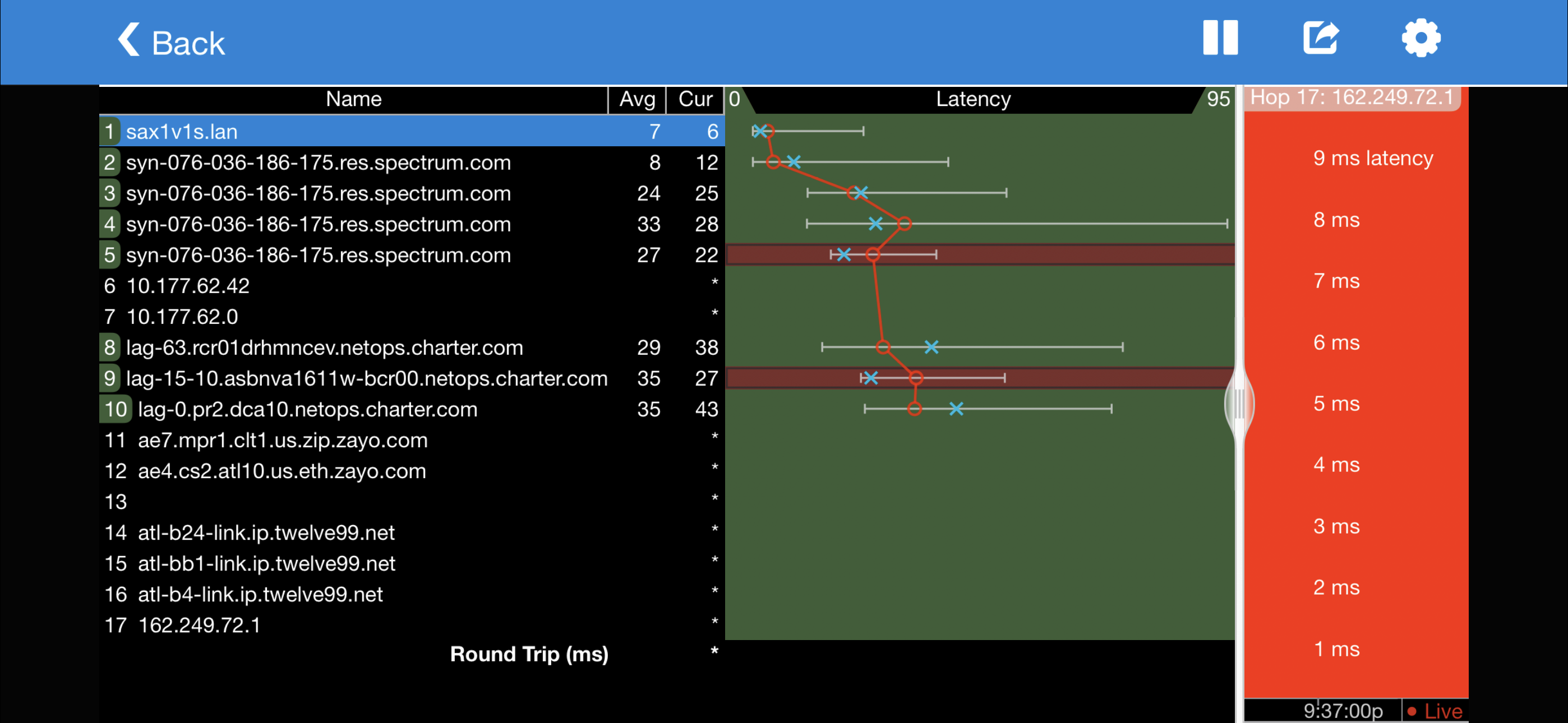
I would greatly appreciate it, as I haven't been able to play properly due to packet loss. The problem seems to be in two specific hops according to the tracert:
5- http://syn-076-036-186-175.res.spectrum.com/
9- http://lag-15-10.asbnva1611w-bcr00.netops.charter.com/
0 -
Hi, yes, of course, it's more like a problem that comes and goes. Every 10 or 15 seconds while playing Valorant for example I receive the connection problem notification and at that moment I notice that my packet loss counter in the game spikes and then stabilizes again, and so on. I should also clarify that sometimes it doesn't happen for long periods; it seems more like a congestion problem than a failure.
I also tested it without any devices connected to the WiFi router and still the same.
 0
0 -
It doesn't look like there's a problem with 5 or 9, as the following hops are not showing the same issue. Hops often give low priority to ping requests and might delay or not respond at all, but that doesn't mean they are having a problem with their primary function of forwarding data. If 5 was actually dropping packets, 6 and every hop after would have the same dropped packets as you have to go through 5 to get to 6. If you just run a continuous ping (In Windows Command prompt use "ping -t 162.249.72.1" and then Ctrl+C after a while to end it) how much packet loss are you measuring? Is it worse at certain times of day?
1 -
It actually doesn't look like that IP responds to ping requests, so I'd recommend using 104.160.131.1 or another one that does.
0 -
When I do a ping to 162.249.72.1 I get 100% packet loss, may be a server DDoS protection system according to google but I tried a constant ping to google (8.8.8.8) and its basically 1 packet lost every 100 (1%)
As in game the last match hours ago I lost 2000+ packets when the normal goes around 0 to 10
0 -
Do you see a similar amount of packet loss when pinging other servers, such as spectrum.net or 104.160.131.1? Is it just a single dropped packet at a time or in groups? Are you connected with an ethernet cable?
0 -
Also, does WinMTR show the same 1% loss starting at any point and continuing for the rest of the hops?
0 -
spectrum.net gives request time out 100% when I try to ping and 104.160.131.1 gives 1.5% packet loss, it’s one single packet around every 7-10 seconds but sometimes lost 2 or 3 in a 3 seconds interval, as for the WinMTR I’ll leave you the pictures and I’m using full wired connection (coax-modem-router-Ethernet pc)
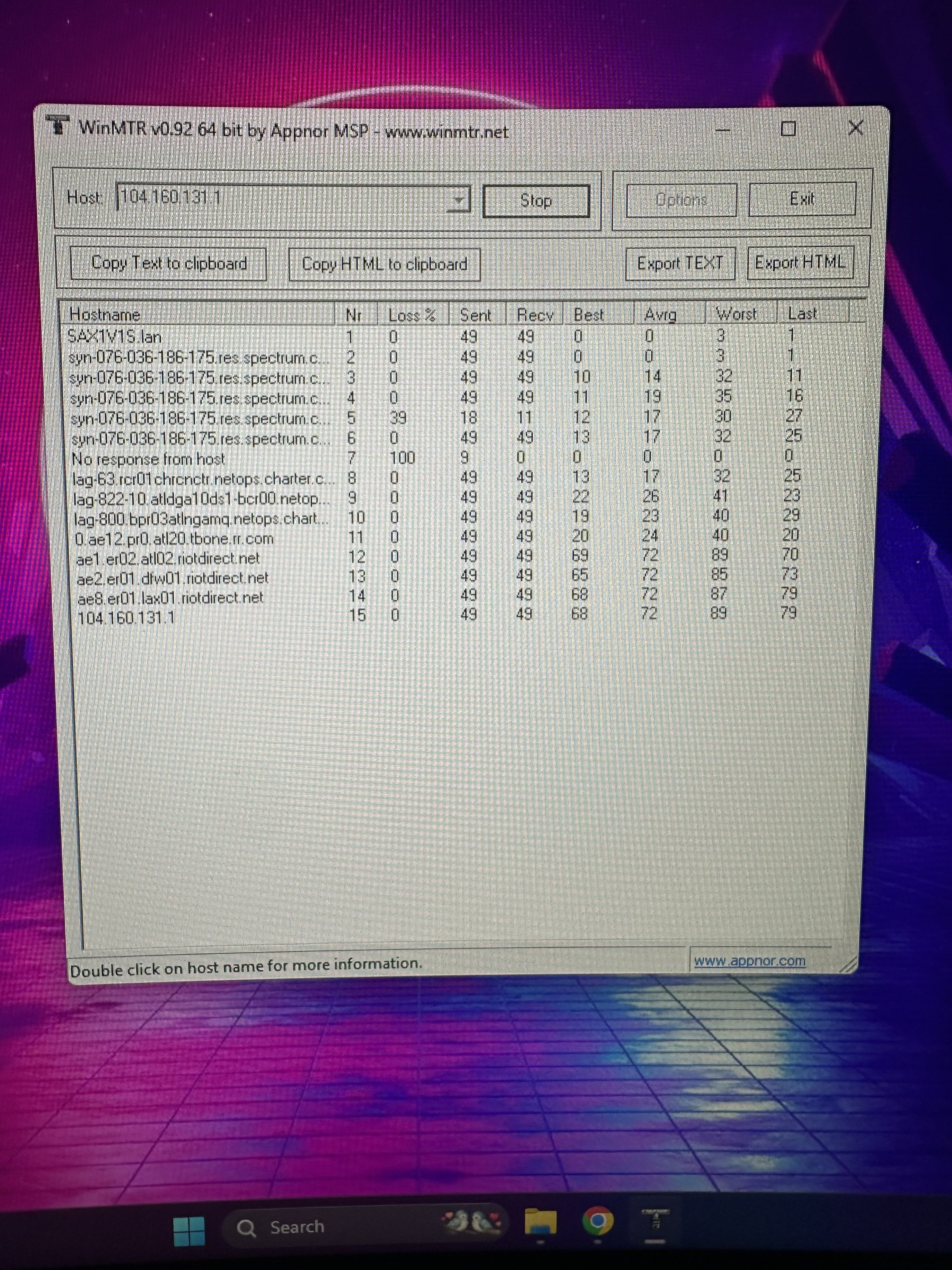
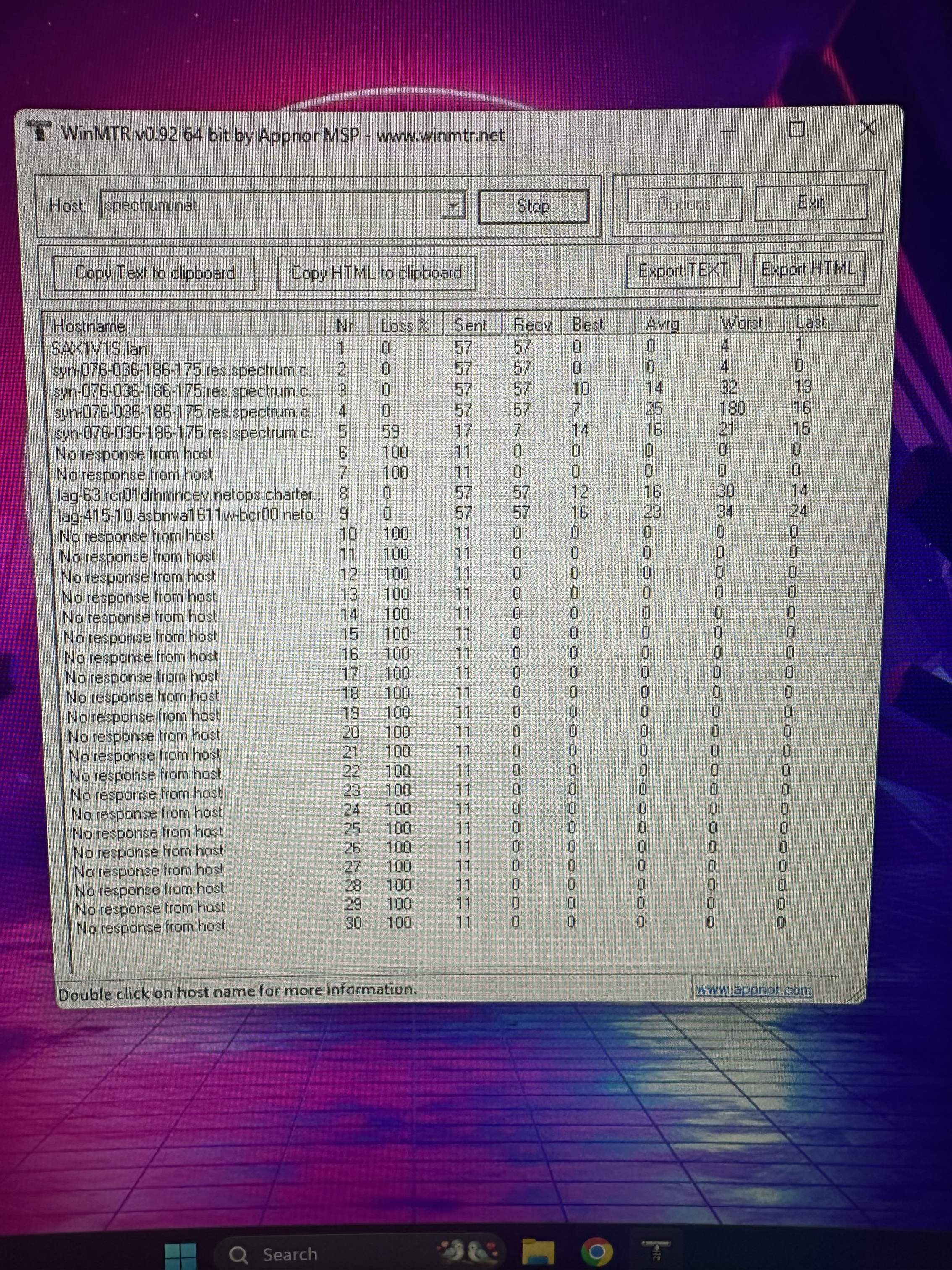
Edit: this is another WinMTR to Valorant NA related IP
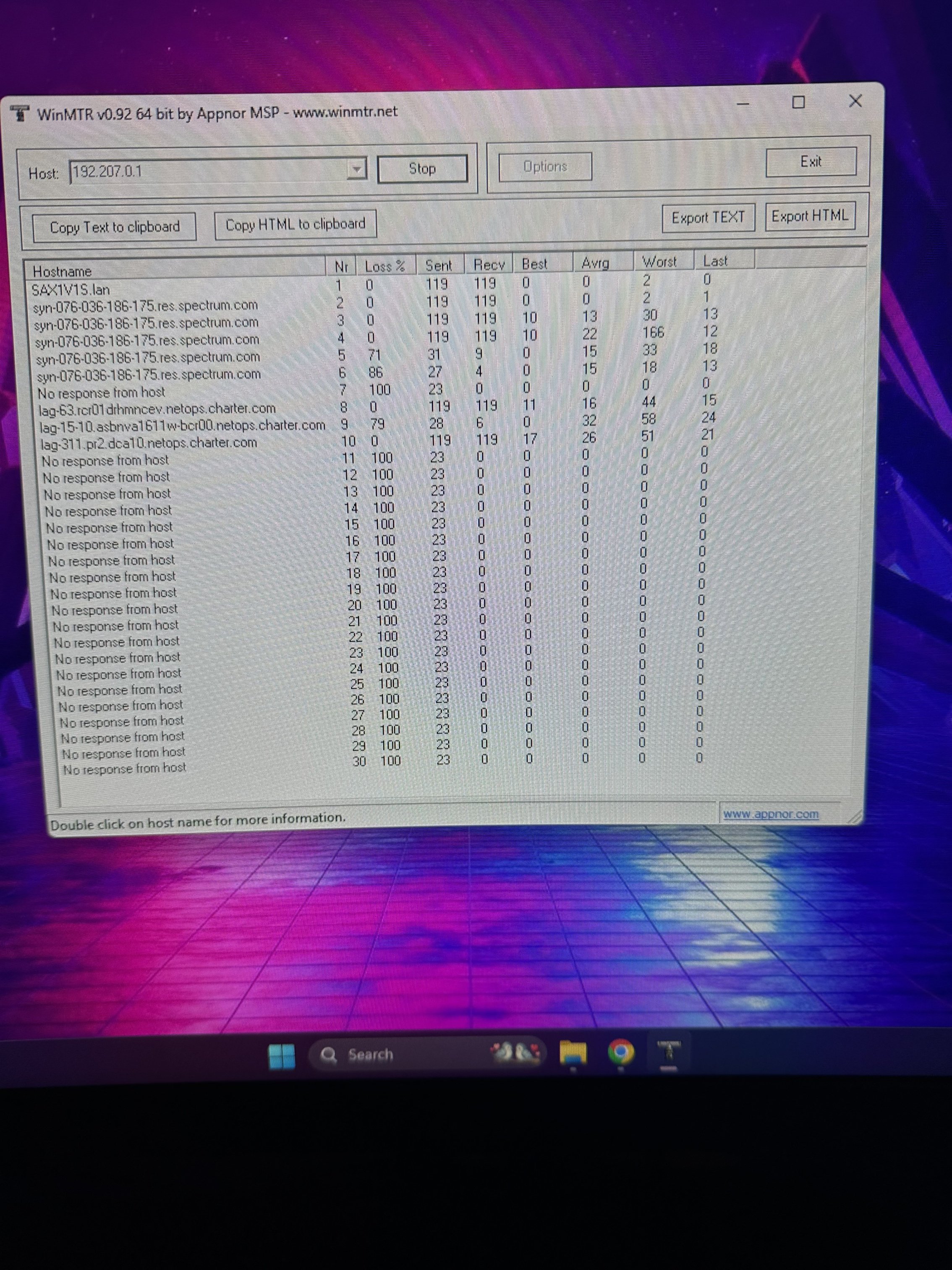 0
0 -
Those WinMTR tests show 0% packet loss, but only over 49-57 packets so it might just be too small of a sample size. Can you test again to the 104.160.131.1 IP but let it go for several minutes?
0 -
Sorry had to go to work but I must say that I did a test match before leaving and just lost 3 packets instead of the 1000-2000 of the daytime so maybe it’s a congestion issue, I’ll check as soon as I get home
0 -
Not a problem, it would definitely be best to run the WinMTR and other tests when the issue is actually occuring. Please keep us updated! I've placed a device watch on your modem, which will have our systems more closely monitor the connection to the modem for the next 24 hours.
0 -
Hey @NorvyT. The device watch alerted me to an issue already, and I'm now seeing ~10% packet loss to the modem and ping spikes up to 700. I checked some of your neighbors and don't see the same issue, so it appears to be isolated to you. I recommend scheduling that appointment. I set you for our next open one which is tomorrow, Sunday, February 15, 2026, 8:00 - 9:00 AM. If you aren't available then you can reschedule it by signing in to Spectrum.net or the My Spectrum app, or let us know when would be better and we can take care of that for you here.
0 -
Oh I see, well tomorrow is my day off so it’s perfect I’ll be available thank you very much!
0 -
It's my pleasure! We will see you tomorrow. Please let us know how that goes.
0