Didn't find what you were looking for?
We have advanced search options to make it easier to locate posts, questions and answers on this community.
More information can be found at Advanced Search Options
If you are looking for something specific, please check if someone else has already asked or answered the same question.
how do I activate my spectrum apps

Best Answer
-
•go to spectrum.net
•Sign in
•Go to either “services” and select tv/ streaming OR if on the Home Screen click the box that says “manage tv/streaming “
•There will be a section that says “ All Your Streaming Apps All In On Place” click on “manage streaming “
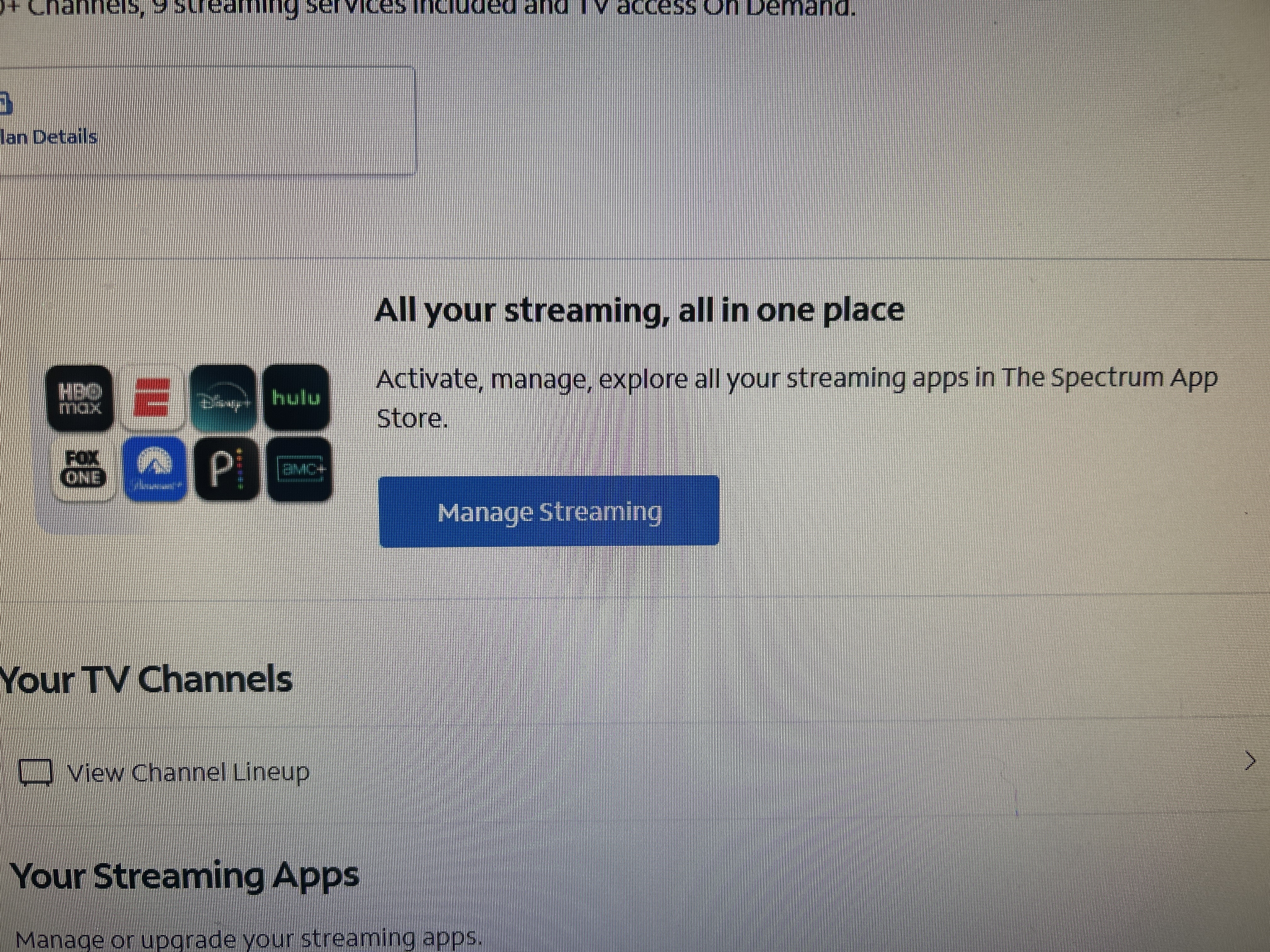
•When it loads the next page. Click on the app you want to activate and follow the prompts on what it asks you to do.
make sure to write down any user names or passwords you create , since Spectrum will not know any of this information•once All of your apps are successfully activated, you may now go to your devices with the username and password you have created and sign in on each individual device
hope this helps :)2
Answers
-
@Ava52 's instructions are great!
Something to add, Spectrum Subscribes will need a Spectrum Select or Higher TV Plan to get the apps
Additionally if you subscribe to an app through a third-party subscription service, going through Spectrum does not remove that third party subscription! To remove that third party subscription you must contact that third party provider and get the third party subscription off your account before subscribing to the Spectrum apps. An inactive third party subscription is not the same as a deleted third party subscription!
One more note that new or swapped equipment may take up to 48 hours before it is available to activate services online.
Satch
0