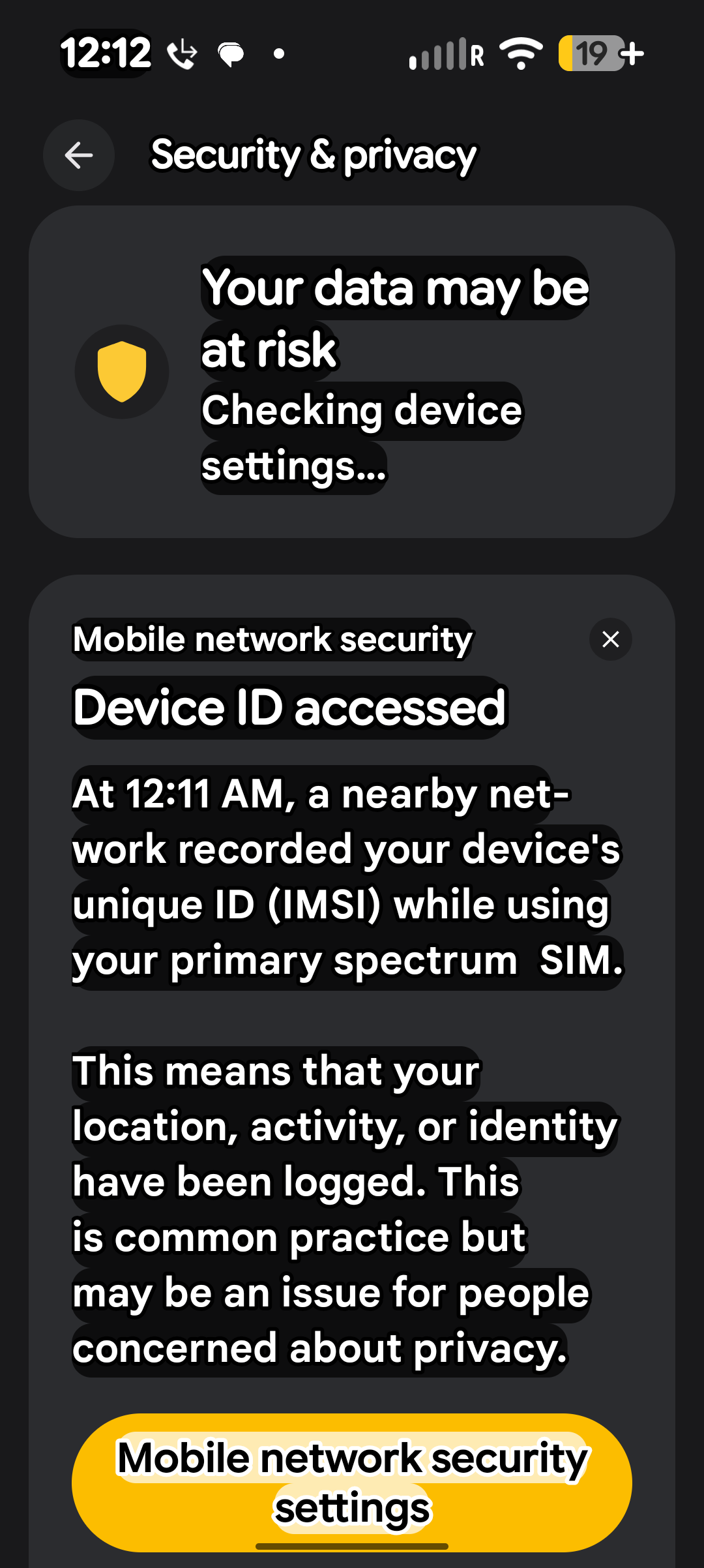
Repeated alerts about device ID access

II have been receiving about three alerts everyday about my device ID being accessed. It happens at home. It happens on the road and in other locations. It first started when I went out of town about 2 weeks ago. It's continued ever since I've tried to troubleshoot. Google keeps telling me it's no big deal and to turn the alerts off if I don't want to keep getting the notifications. I've had spectrum mobile service for about 9 months now and never got an alert like this. Anyone else getting alerts like this? Any any information would be so helpful.
Best Answer
-
Good afternoon @Tidalcharacter79,
This is an alert you can enable within your device settings that will notify you anytime the device ID is accessed, such as changing between cell towers or 4g-5g. It isn't something from the service side. It's more an informative notification.
1

Answers
-
-
Why is just now starting to send me 3 or more notifications per day, Even if I'm at home? My phone has never done this until recently. I did not change any settings. And if its Just an informative thing, why does it have a high security flag on it??
0 -
It may have been part of a recent software update for the device. Since this is a device setting, you can contact the device manufacturer for additional information on the feature that is enabled to receive those notices. For Google devices, you should be able to swipe up and go to settings > tips & support > Chat or Phone.
1 -
What Mo said. Plus i notice that you're roaming there by virtue of the roaming symbol, R. You might be able to determine whose network you're roaming upon based upon who answers when you call 611. If you don't think you should be roaming when and where you are roaming, maybe get a new SIM or write the existing one off to eSIM or reset network settings or check for carrier updates or whatever.
0