Didn't find what you were looking for?
We have advanced search options to make it easier to locate posts, questions and answers on this community.
More information can be found at Advanced Search Options
If you are looking for something specific, please check if someone else has already asked or answered the same question.
Netgear RS700S router ipv6 enable with Spectrum?

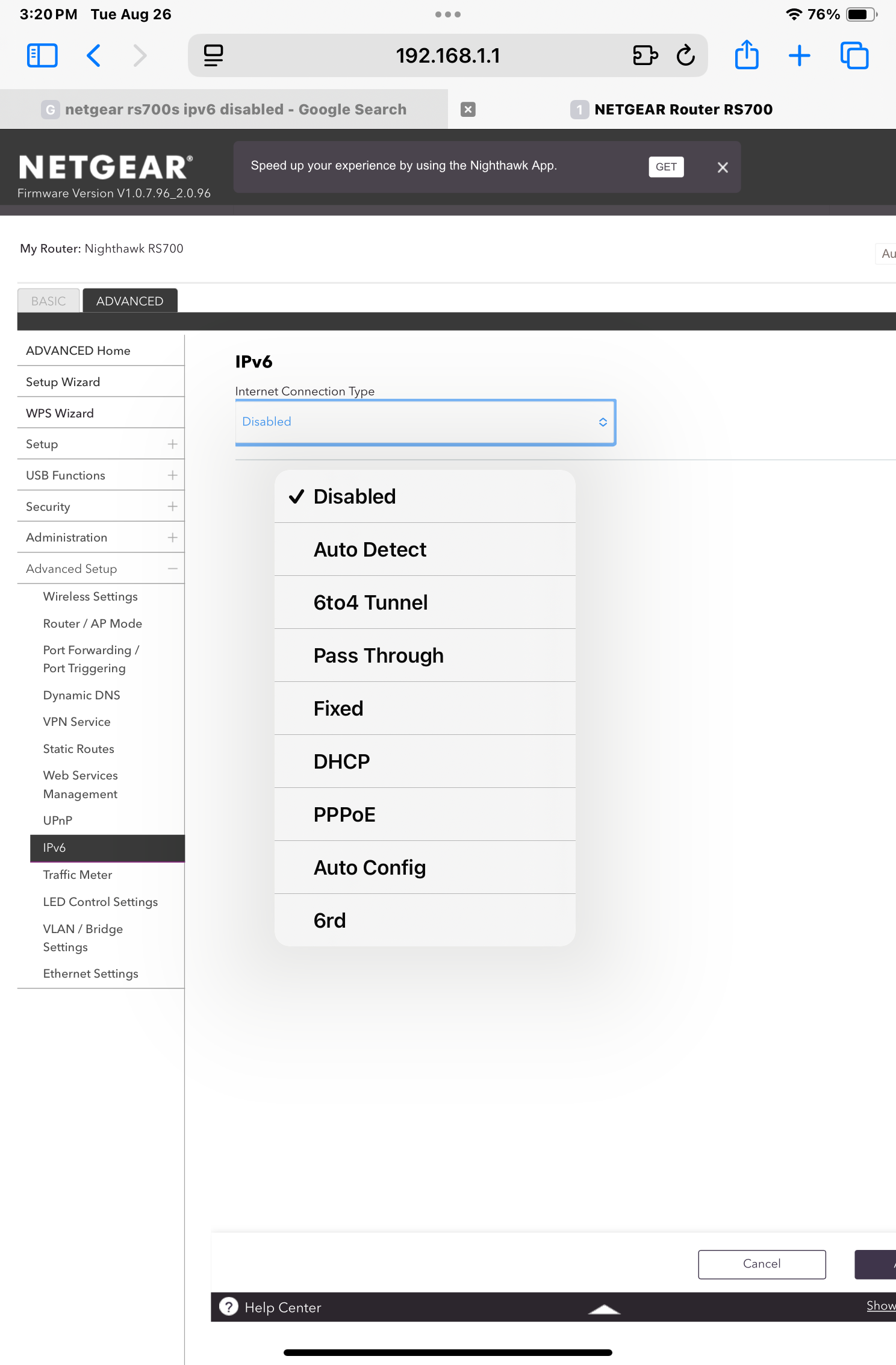
Router has it disabled by default and have no idea what option to choose for enabling it? Picture attached of said options. I’m also using a Spectrum provided modem with it.
Comments
-
Good evening @JellyMarvin
Thank you for reaching out to us about your personal router and the appropriate settings. Generally, we would not recommend any particular settings but rather refer you to contact the manufacture for best settings. Netgear would be able to let you know what settings would provide you with the best performance for your equipment. -Lyn
1 -
It's all Greek to me but i can confirm that nothing but Auto Detect is what does the trick for me. Hit that and stick with the default sub-setting(s) and hit Apply. Once it's upped, you should see the Router's IPv6 Address on WAN as well as the Router's IPv6 Address on LAN. Double-check those every once in a blue moon and any time the latter has gone, just hit Apply again and it should re-up.
1 -
HT_Greenfield, is that the official verdict from Netgear themselves? Seems like no one truly knows. Netgear says contact Spectrum and Spectrum says contact Netgear. They both pass the buck around without a concrete answer that is correct? 🤷🏼♂️
1 -
No. That's an unofficial verdict from yours, truly. If you don't like it, you lump it. I can confirm that you have absolutely nothing to lose by trying each and every one of the heads-up options and that if you don't get the distinction of a name like Auto Detect, i can't help you. But that's just me. I'm an unfrozen caveman. Your modern ways frighten and confuse me. ☘️
0 -
Want to say Native /56 delegation, auto, and passthrough were the modes that worked on my Asus routers last time I tested over a year ago.
IPV6 is still kinda iffy in some US markets. We have barely crossed a 50% adoption rate as a nation.
0