Didn't find what you were looking for?
We have advanced search options to make it easier to locate posts, questions and answers on this community.
More information can be found at Advanced Search Options
If you are looking for something specific, please check if someone else has already asked or answered the same question.
Intermittent latency spikes/timeouts when routing through "int-1.cralidfs05m.netops.charter.com"

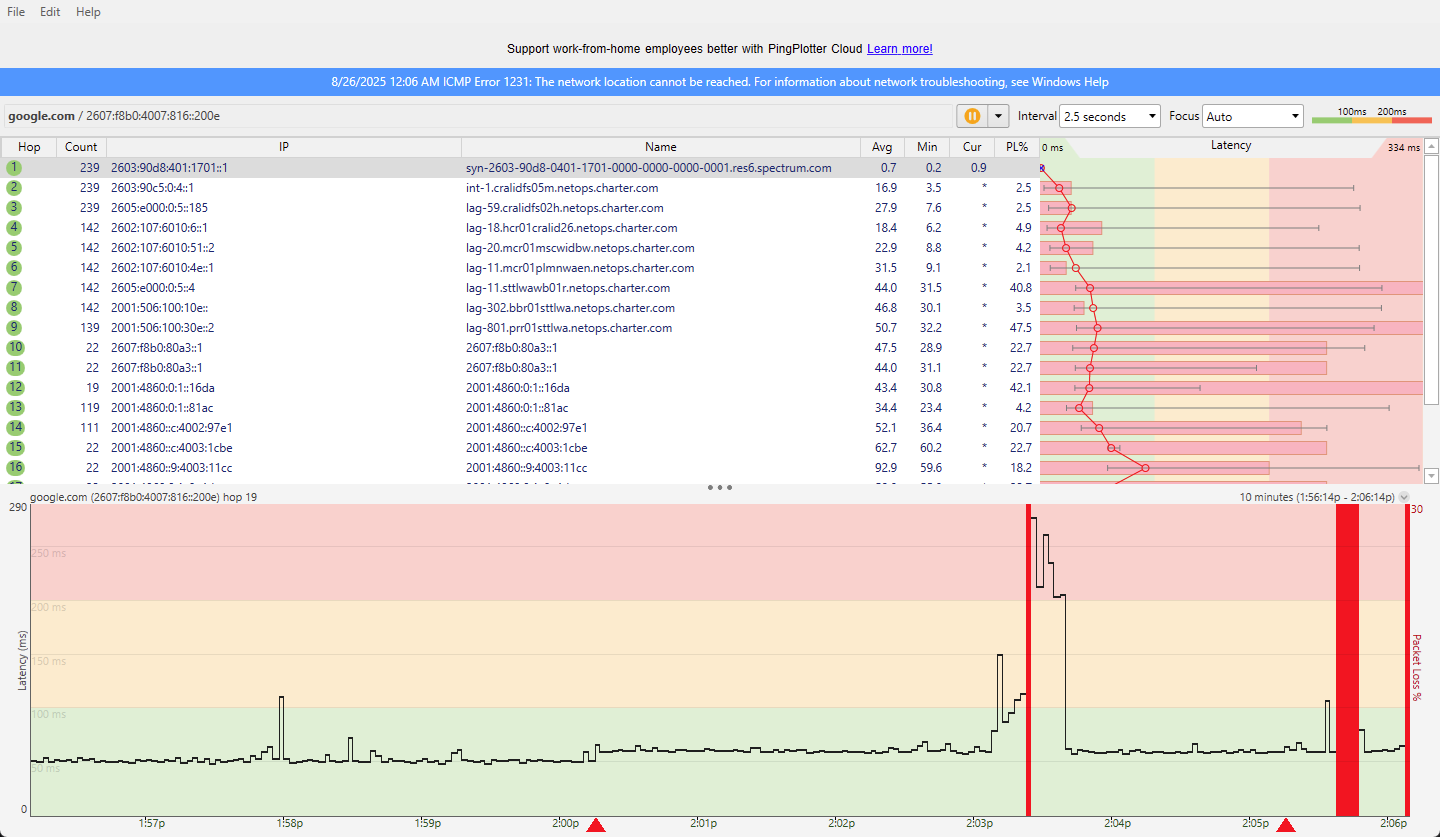
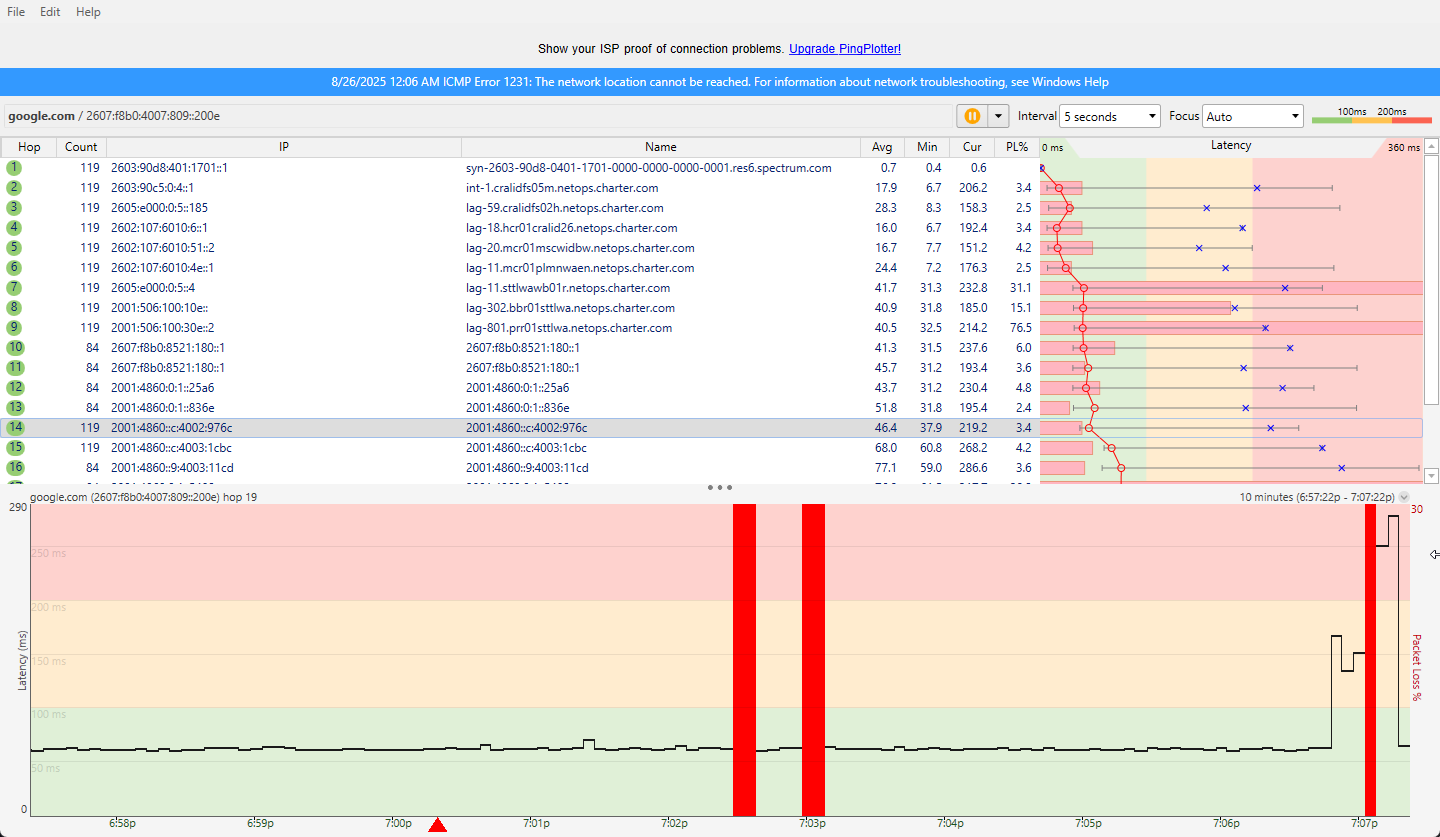
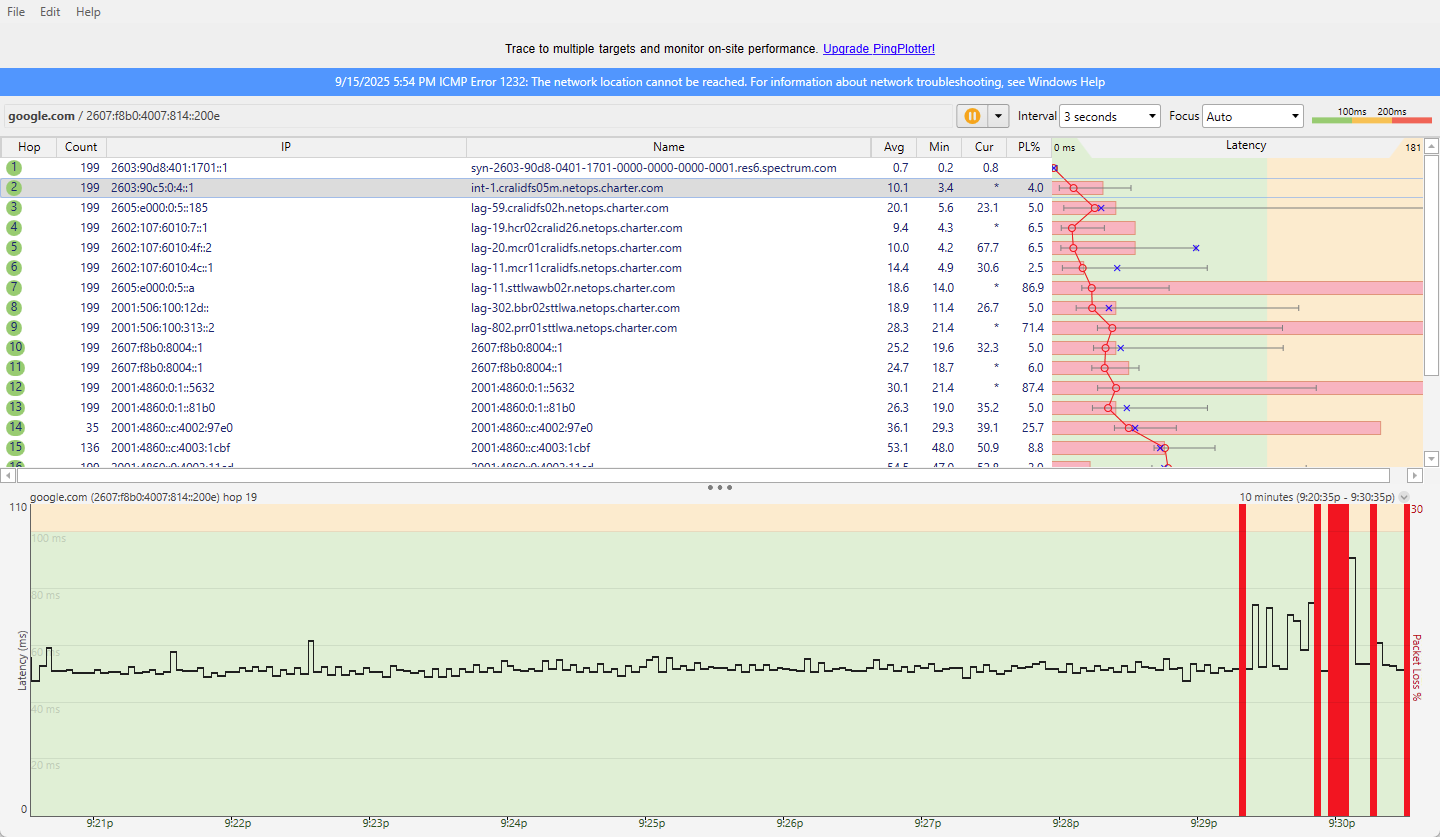
For the last couple months I've been experiencing intermittent spikes and timeouts, usually only lasting anywhere from 1-30 seconds. I started running traceroutes to get an idea of what's going on and every spike occurs at hop #2 which is "int-1.cralidfs05m.netops.charter.com". I know a lot of traceroute traffic gets filtered so I'm not talking about just packet loss. I've also had multiple technicians out to check the cabling and replace my modem and router. Not sure where to go from here but these small disconnects are often enough to drop me from active sessions so it can be very disruptive.
Comments
-
Hello @ronniedupree;
I can understand the frustration of the internet dropping frequently. The tests you have been running does not indicate an issue on the network. Most network equipment has security built in that will not respond or limit a ping command. So you may see time outs in the trace route but it is not an issue. I tested your modem and I am not seeing any problems with the cable signals. I would like to determine if this is an issue with the WIFI itself. Can you try connecting a device directly to the modem with an ethernet cable to see if there is a difference in the connection? I also ran an optimization on the modem that may help with the WIFI conflicts that can cause the WIFI to drop.
0 -
My primary computer is connected via ethernet and I run all my tests there as well, none of my screenshots are from a wireless connection. I understand traceroute traffic is treated as lower priority but the actual timeouts I am experiencing coincide with what I am seeing during the traceroutes. When it happens all of my devices, wired or wireless, experience the same thing. I've also been pinging my router to see if it drops at all during those periods but it never does. My router and modem rarely fully disconnect and reboot, maybe only during the very long timeouts.
0 -
Timeouts are also related to the low priority on the network. Issues at the second hop indicates an issue at your home or right outside your home. I am not showing any obvious problems on the modem at this time but we can get a technician out to check the equipment on site to ensure that there is no issue. When would you be available for a technician over the next couple days?
0 -
May want to try IPv4 for a while to see if it improves... still barely over 50% on IPV6 adoption. Fewer routes and all that.
0 -
I'm available for a tech any time after 2pm PST tomorrow or Thursday. If possible I'd like to request a Tier 3 technician since I've already had a couple techs come out without any improvement.
0 -
@ronniedupree The technician is scheduled for Wednesday, September 17, 2025, 2:00 - 3:00 PM PDT.
1 -
The technician that came today said there wasn't anything else to be done besides replacing a couple splitters and looking over the street level box which he did. Shortly after he left the problem started occurring again. He said at this point it's beyond a field tech and most likely an infrastructure issue. What should my next steps be?
0 -
@ronniedupree : With reference to the blue-banner ICMP error up top of each one of your plots:
🔗
🔗
Therefore just curious if you could run a simple ping test to the end point with a different machine connected, just for good measure, directly to the modem (router bypassed) and let that run for a few to several hundred cycles and see what happens.
0