Packet loss and inconsistent internet speeds

Howdy!
I've had a two tech visits recently and my issue have only gotten worse. ANY kind of help would be greatly appreciated.
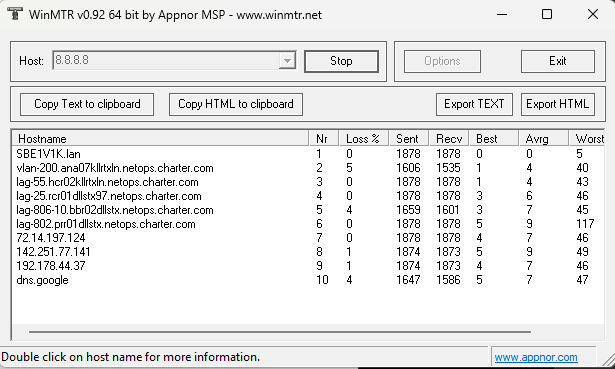
I started experiencing some packet loss issues about 2 and half (maybe 3) weeks ago. At first it wasn't so bad, it would cause slight interruptions in my gaming and in some voice issues when talking calls for my work (internet calling through Zoom). During that time, it was around ~2% loss (from pinging public servers and viewing hops on WinMTR). I know that ICMP is low priority, but I've consistently have had loss on my 2nd hop, 5th hop, and final destination since the start of this. The first time a tech came out, they were able to get it under 1% loss but then after a couple of days, it went back up to 2% loss (prompting the second visit).
During the second visit, I was still getting packet loss but seemed stable enough to carry on.
At the start of this week, it has become unbearable. I was unable to connect to an app on my working laptop (hardwired) to take my calls on. As part of the troubleshooting, my work HD uninstalled the app and during the reinstall, it would time out as part of it's run processing (a 200 megabyte file taking over 20 minutes to download). During my off time with gaming (2 hard wired computers), my roommate and I are getting kicked from lobbies (across multiple games). One of my games needed an update and something that would normally download at 30+ MB/s, was in the Kb/s and would sometimes spike up to 1.02.
Yesterday, I have ran some WinMTR testing at various times and it's between 4-6% loss at the final destination.
8 pm last night directly on modem (hard-wire). Speed tests as well. My downloads hop between super low and what I am expecting.
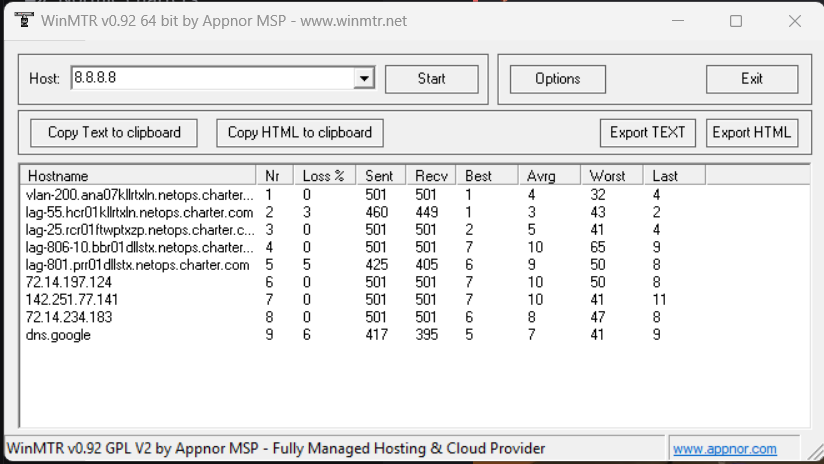
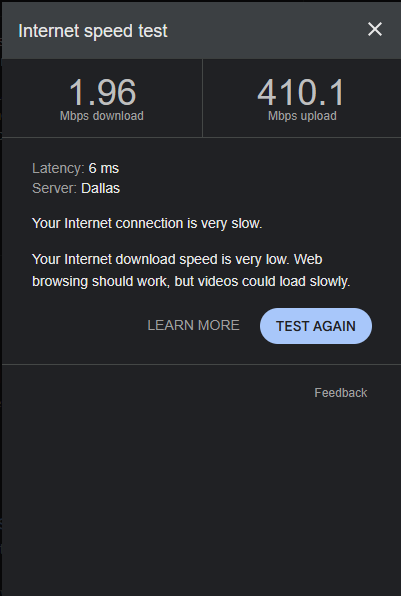
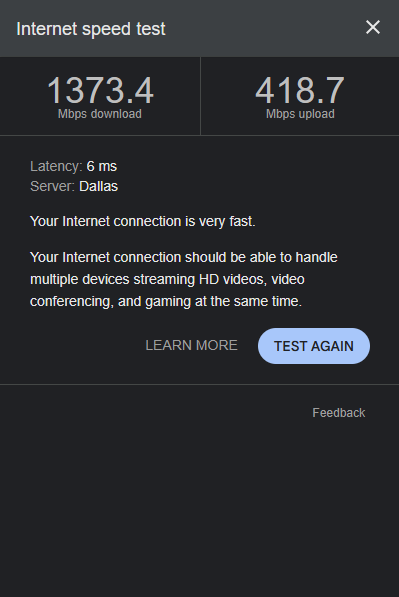


10 pm last night on router (hard-wire)
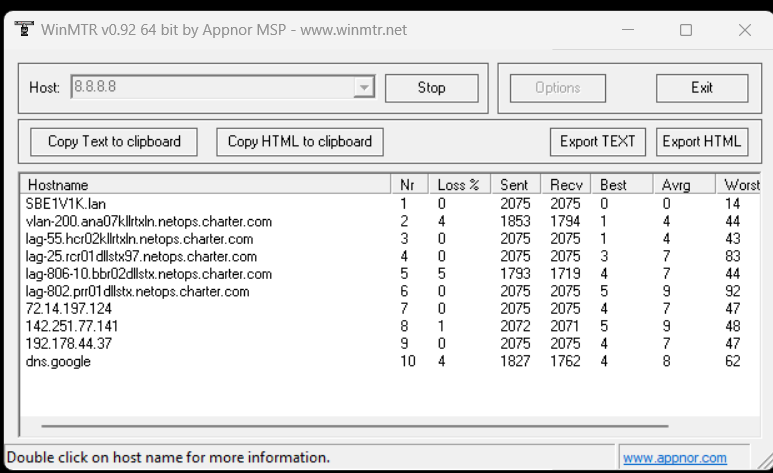
1030 am today on router (hard-wire)
Comments
-
Hey @Matty_H! Your traceroutes are showing 0% packet loss on the hops just before the destination, which indicates the issue is with Google or more likely they are just deprioritizing ping responses. I am more concerned with the very low download speeds. If you test at speedtest.net or the Spectrum speed test do you still see inconsistent results?
1 -
On speedtest, first run has hovering around 100 mbps before jumping up to 1500 at the last few moments of the test. Ran a couple more and were 2000+ right out the gate. Ran another WinMTR test just now after disconnecting/pausing all devices with the exception of 2 wired computers and 2 iPhones and the results are about the same from yesterday.
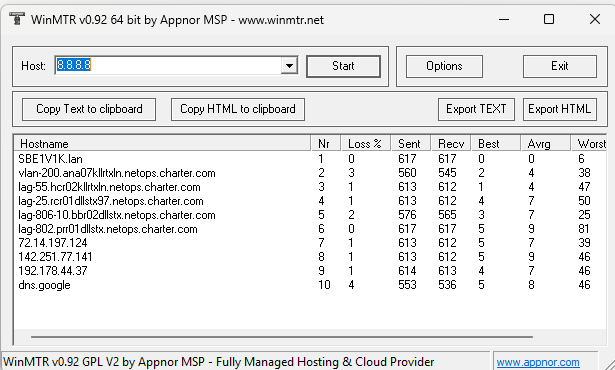
What is peculiar is yesterday from ~12pm-8pm I had 0 loss to Google and was able to game/download with no issues and then it starting dropping again.
0 -
Most packet loss you are seeing on trace routes are related to Packet filtering to protect against DDOS attacks. What you are looking for is a result that is high and continues on every hop after it. If the results go back to normal after then it does not indicate an issue. I would also not worry about 1% packet loss. I did a test on your modem and it is getting the proper download and upload speeds at that moment. Although I tested a ping test a few minutes later and I am seeing significant packet loss. I am escalating to our management to review this further and someone from the field will be reaching out to you to resolve the issue.
1