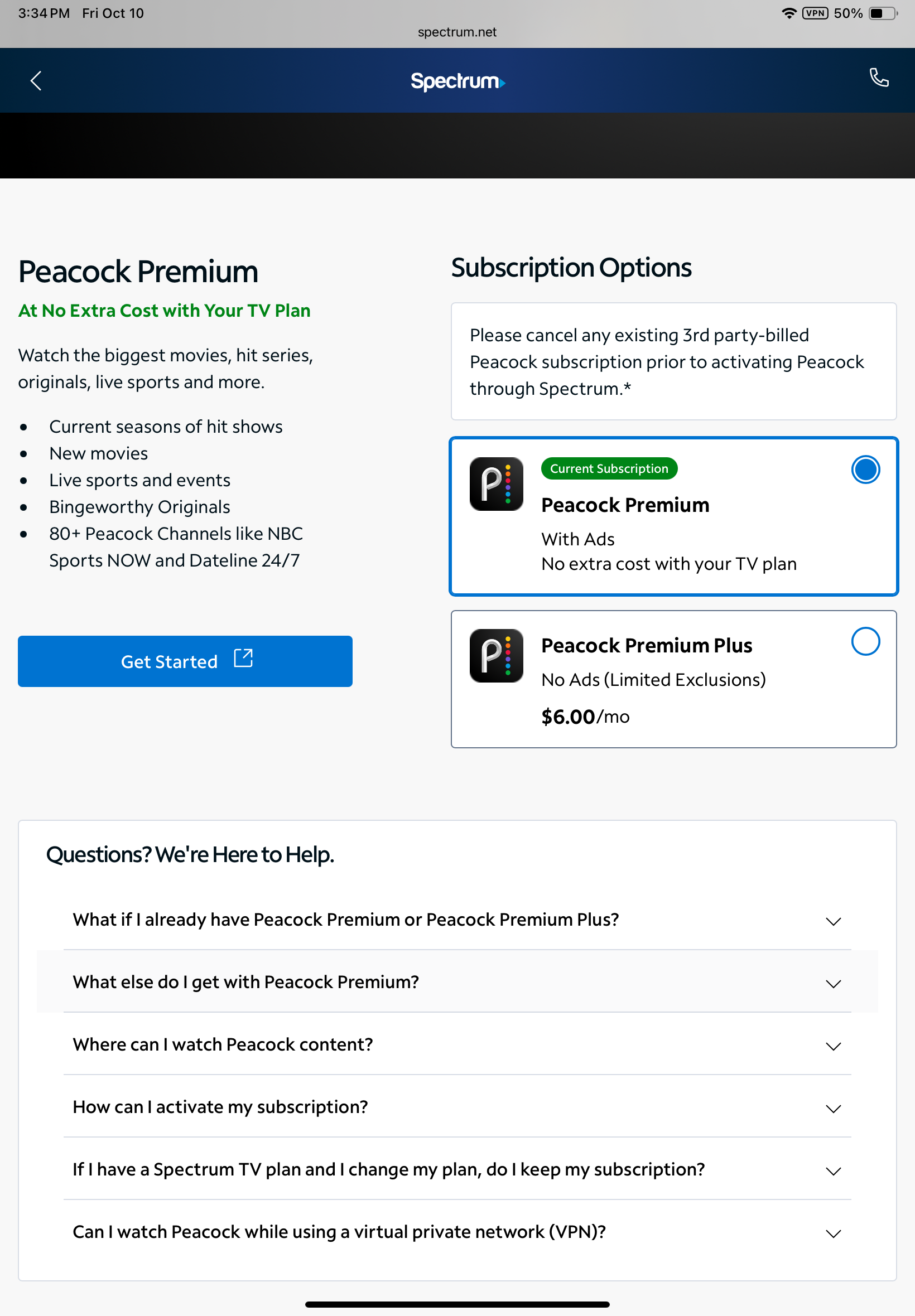
I'm unable to activate Peacock+

I've tried to activate Peacock+ using laptop, iPad and iPhone. I've followed the directions in Spectrum. I get sent to a website bp.fortumo.eu and an error message: "Something went wrong. Sorry, there was an error. Please, try again later." Has any one else encountered this and resolved it? Online chat with Spectrum support was useless.
Answers
-
Hello @johneye1;
Welcome to the Community Forums. I do apologize that you have not been able to activate Peacock services. The error message you received appears to be a browser related issue. I would recommend you try doing this on a different browser to see if it helps. If this does not help, can you provide us details on where in the process you were when you received the error?
1 -
I have tried with Chrome, Edge and Firefox. Same result with all 3. I can reach the page to select Peacock+ or Peacock Premium+. I select Peacock+ and click 'Get Started.' I get sent to a page with rotating circles that stops at 'bpfortumo.eu/error/ with the error message:
Something went wrong
Sorry, there was an error.
Please, try again later.
0 -
This content has been removed.
-
- Complete
- Complete
- Complete
- Complete. This takes me to a page within Spectrum to select Peacock Premium or Peacock Premium Plus. I select Peacock Premium and click “Get Started.” This takes me to a webpage at bp.fortumo.eu with the error message: “Something went wrong. Sorry, there was an error. Please, try again later.” I never get to step 5 or beyond.
0 -
This content has been removed.
-
-
@johneye1 : If you hit Can I watch Peacock while using a virtual private network (VPN)? downwards of the page you shared a screenshot of, it says you can't. Try the Get Started hyperlink right there without the VPN.
1 -
Nope. Same error result without VPN.
0 -
Hey there @johneye1! We are sorry to hear that you are still experiencing this issue. I was not able to replicate this issue in our system, so we do think this may be an individual issue. When you have time, I encourage you to reach out to Peacock customer support to see if there is anything on their end that is preventing your ability to sign in.
2 -
At this point, i'd delete the spectrum.net, fortumo.eu, and peacocktv.com web data from the browser cache and start over without any VPN at play. Otherwise, in case it's already been activated, i'd try signing directly into 🔗 https://www.peacocktv.com/start and see what happens.
Edit: What Jilliana said! ☘️
2 -
I have cleared cache from MS Edge browser. I was able to succesfully activate Fox 1 and Vix in this session. I have previously activated AMC+ and Disney + bundIe. However, I get the same error message from bp.fortimo.eu when I try to activate Peacock.
0 -
This content has been removed.
-
I have had a previous Peacock subscription, but under a different username/email. I canceled that plan in August. I get the error message from my iPhone and iPad browsers, as well (Safari, Chrome, Foxfire and Norton) so I don’t see how malware on my PC Edge browser would be the culprit.
0 -
This content has been removed.