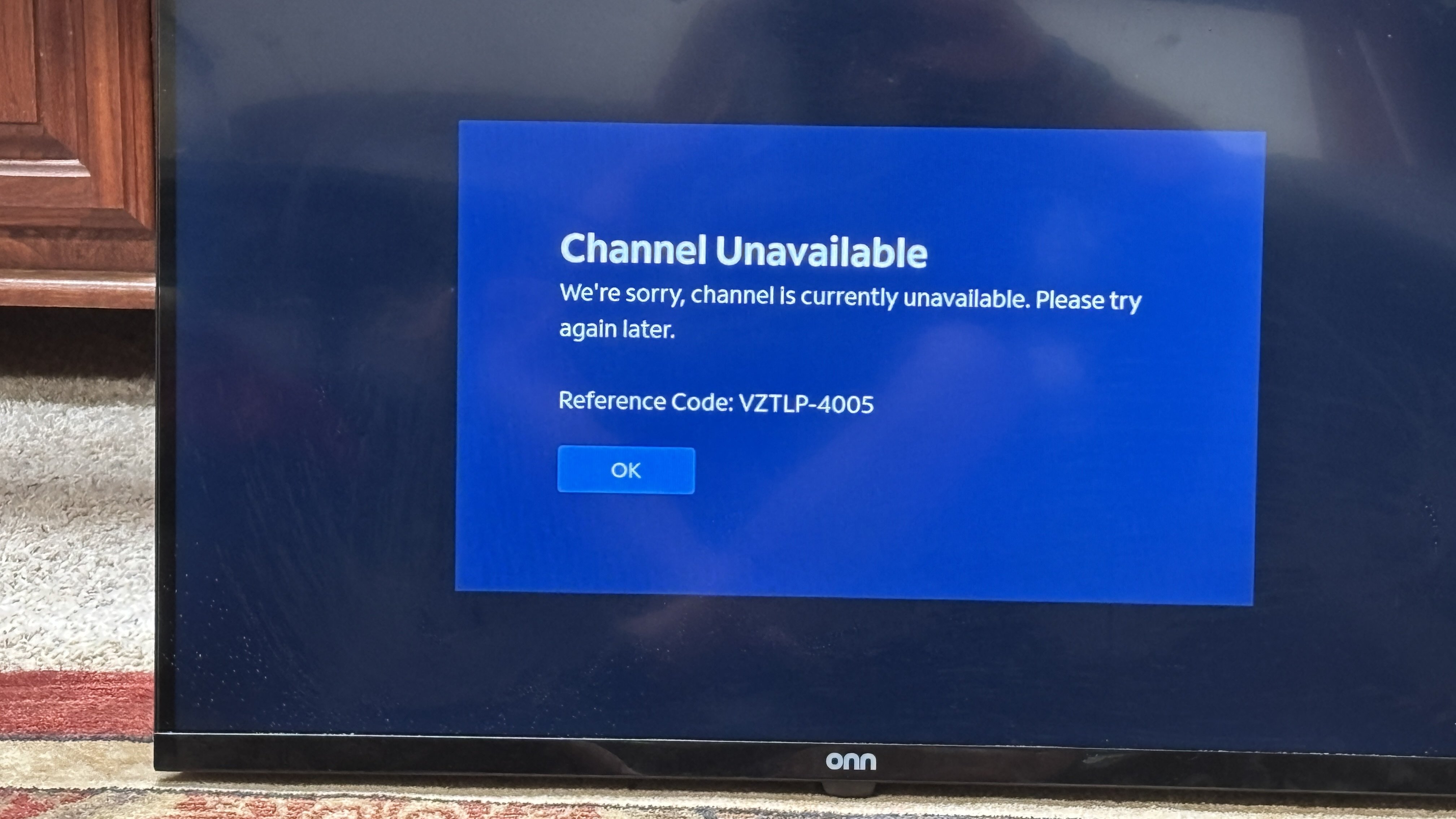
Unable to access Spectrum app channel unavailable error VZTLP-4005

We are having issues accessing the Spectrum app on two different TV's in the household. One is a 32" ONN powered by VIZIO and the other is a 32" powered by ROKU. WiFi signal is strong and the only apps affected are the Spectrum one and any of the others bundled with it
This all started when I was having some pixelation on the VIZIO set and did a restart to see if it would help. When I logged back in I suddenly got a "channel unavailable WZTLP-4005" error. I tried every possible solution that I could think of. Unplug TV, modem, router, reset, factory reset, software update and spent a couple hours in a chat session with a Spectrum agent. With no resolution they set up a service call.
The tech who came out seemed very knowledgeable and tried many of the same things I did but couldn't figure it out either. He seemed to think that an update to the app might fix it at some point. I am also unable to cast (or link with Airplay) to the TV from my iPhone.
Earlier today I decided to surrender and swap it out for another TV (the 32" ONN ROKU) we have that we rarely use. Well I can't get on the app there either. No error code but just bounces back to the home screen when I click on it. I updated anything that needed updating and still no change. I also can't cast from my iPhone to that TV either and Airplay just stays on the Airplay screen (although the iPhone thinks it's casting apparently)
I was almost ready to buy a new TV but since discovering that the second TV we tried here doesn't work either I worry that I'll have the same issue. Our 75" VIZIO that is all of 10" feet away works fine as does the Hisense one on the first level. I have no idea where to go with this next and welcome any help at all
Answers
-
Hello and welcome to the Spectrum Community!
I do apologize for the issues you're having with our TV App. I was able to find your account using your community login and I'm not seeing any known issues with accessing our app through Roku or Vizio.
I appreciate you trying the other steps in troubleshooting so I don't want to have you try something you've already tried. I don't see you mentioned anything about uninstalling the app and reinstalling it. Have you tried that?
As for the Airplay issue do you see the issue with only the Spectrum TV app or all of your streaming apps? If it's all the apps that is something you would need to contact Apple about.
-Tyleen
1 -
I haven't uninstalled the app and re-installed as I didn't quite see the way to do that when I clicked on the app? I assumed that doing a factory reset would accomplish the same I guess. As for Airplay I just did a test (Night Flight and Tubi) and both worked fine streaming from my iPhone. I appreciate the questions
Loren
0 -
OK I just tried Airplay again to watch a local news channel and it did work this time
0 -
Okay can you try to uninstall/reinstall the app now? The process can vary from device to device though.
For a Roku you would go to the Roku Home screen and highlight the app you want to remove. Then press the star button on the remote and select remove app from the menu. Then you would go to the app store and reinstall the app.
For a Vizio if the app came with the TV you may not be able to uninstall it. Most of what I'm finding when doing a search shows how to move the apps from the main screen but it does not uninstall them. You may need to reach out to Vizio for help with that.
-Tyleen
0 -
I will try this a bit later and report back Tyleen
0 -
Still no joy here Tyleen and I'm quite sure that the app was included with both televisions and not something I can re-install. I also realized that the Airplay function is really hit and miss from my phone. At times I'll even receive that "channel unavailable" error on my phone after trying to use it. Chromecast doesn't work at all. To be clear, the other apps bundled with Spectrum also don't work although any apps that are stand alone do work. As an example, I couldn't load Peacock and I really, REALLY want to watch the Tour De France starting tomorrow. I'm hoping for a miracle here lol. Also another clarification, you mentioned reaching out to Vizio but that is only one TV. The other is powered by Roku and having the same issue as well having the Spectrum app locked in. I tried another power cycling yesterday of both the TV's and modem and router with no change. Is it possible that this could be some sort of an authorization or DRM issue??
0 -
Yes, 4005 errors are indicative of a DRM playback failure. How old are the TVs that it is not working on, and how far from the router are they?
1 -
Hello William
Both TV’s are less than a year old and although they are one flight of stairs down from the router the distance isn’t terribly far. Both indicate the WiFi signal is strong. Any help or guidance appreciated!Loren
0 -
When looking at the Spectrum TV app on the list of available apps, if you hold the OK button do you get an option to delete or remove the app?
Are you able to move the TVs closer, at least to the same floor as the router, just temporarily for testing?
1 -
I will try this tomorrow William and report back
0 -
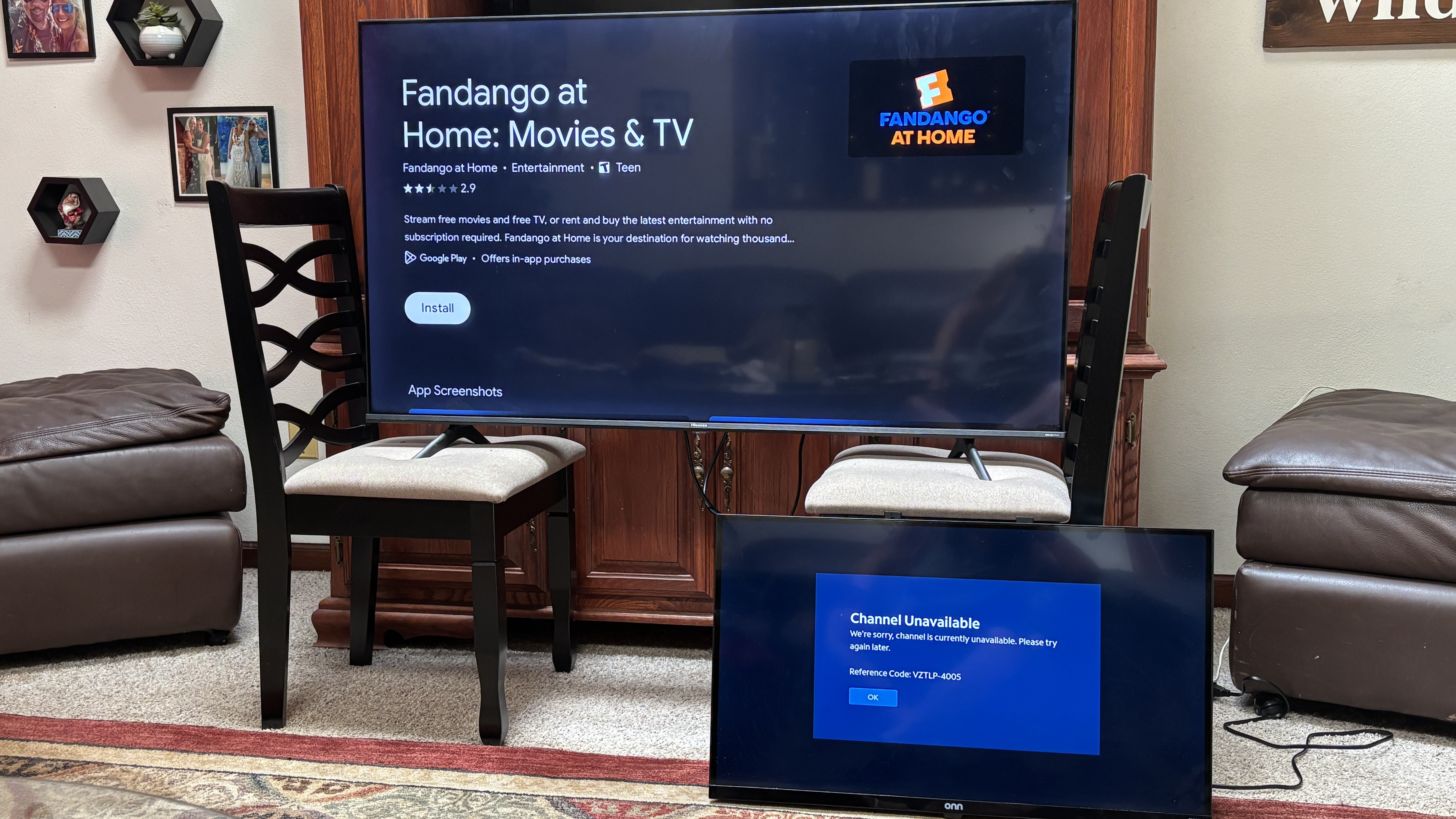
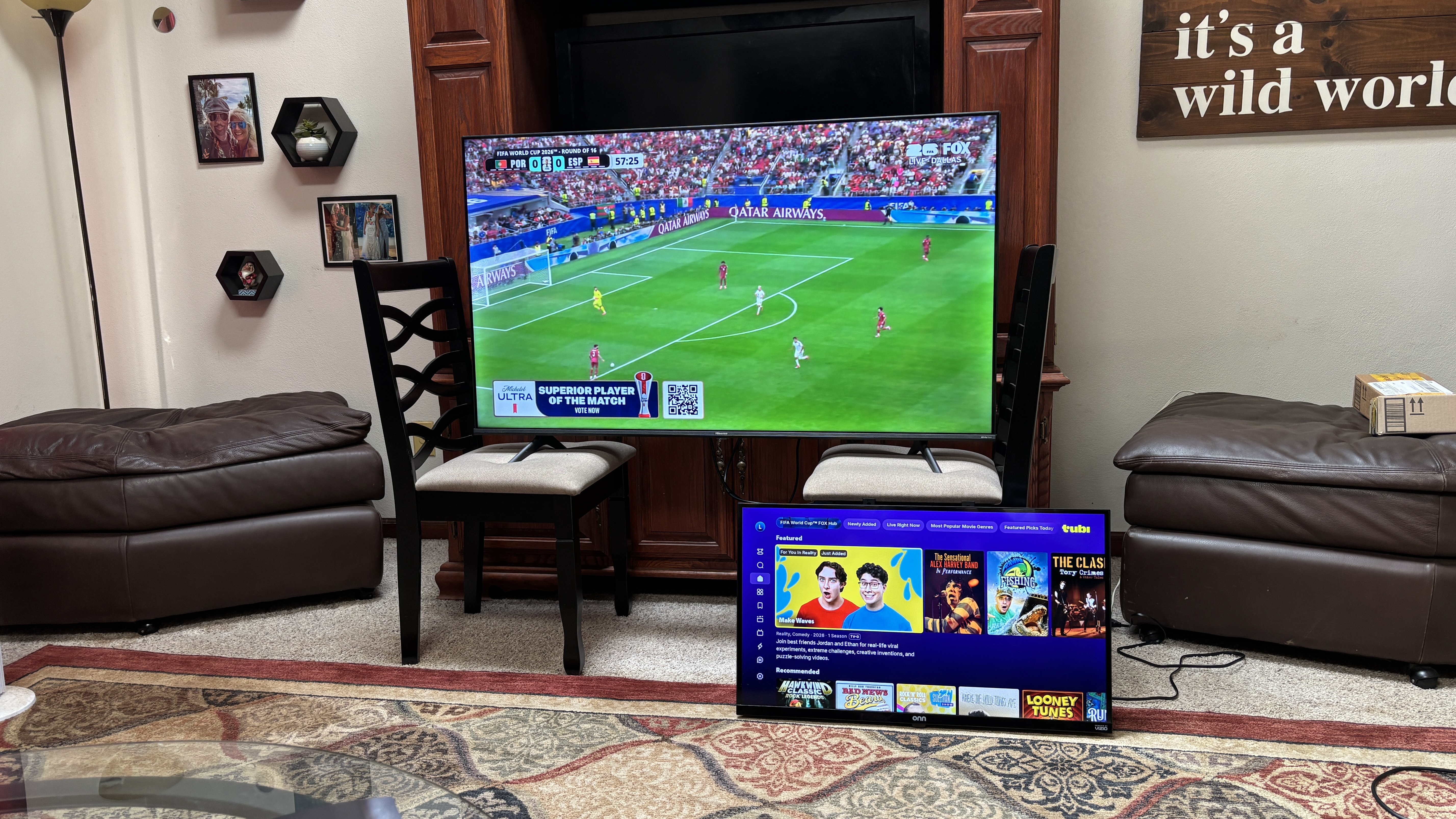
I placed the TV in question in front of our main upstairs TV and very close to the router. Restarted and the same issue. Confirmed that other streaming services do work and signal is strong. Main TV still working without issue. I tried holding OK on the app and it offers no options and just goes to the app itself
 0
0 -
I do show that there is a known issue with some customers using Apple devices that are getting errors when trying to use our Spectrum TV app. What version of iOS is on the device?
Are any of the TVs able to be connected to the router with a wired connection rather than using the WiFi to see if you're getting the same error?
0 -