Didn't find what you were looking for?


We have advanced search options to make it easier to locate posts, questions and answers on this community.
More information can be found at Advanced Search Options
If you are looking for something specific, please check if someone else has already asked or answered the same question.

How to Remove Duplicate Channels in Guide on Roku App

I set up a guide favorites list in the app but it has duplicates of all channels (SD & HD, I assume). Can I get rid of that & only have the favorites list show one channel version? It 's pretty irritating to have to scroll thru all the duplicates. I also prefer to sort by channel name & all channels have 2 versions right on top of each other. This makes me a crazy person.

Googling told me to only put the favoring heart on the HD channel versions & that would fix it but it doesn't. Regardless of which version I heart, both the SD & HD versions appear in my favorites list. If I remove the heart on the SD version it removes both versions. It's all or
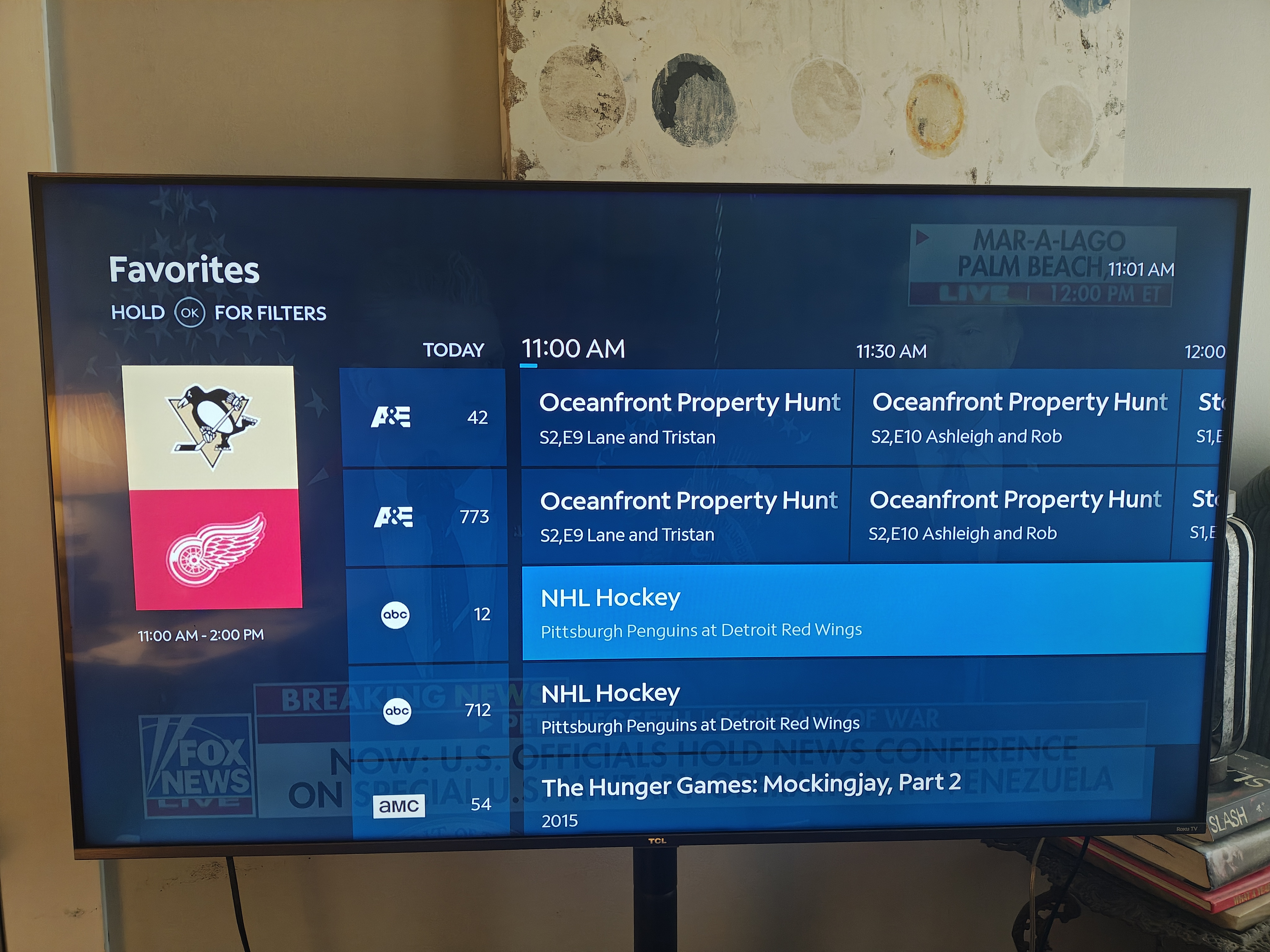
Guide.jpg

nothing.

Answers

  • Satch
    Satch Posts: 6,214 Contributor

    @TeeTuck

    Welcome! I believe that the Google Search information is correct and that this is a limitation of the software program on the guides. Many years ago, it was customary when people had SD/HD sets to have a choice of whether or not to show both SD/HD versions, or HD only.

    Now that ninety five percent of all line ups are HD, the providers never removed the original number SD version, which traditionally was the lower number of the duplicate channel. Hence the reason for two versions of the same channel number now in HD.

    The other reason is that there are several different channel packages who's programs might be in a different package plan, where some subs may see a higher number channel if the subscribe to a higher level plan.

    To my knowledge there is no current way to remove one of the duplicate channels for the above reasons. Sorry that I can't be of more help!

    Satch

  • TeeTuck
    TeeTuck Posts: 2 Spectator

    ty for the info. What a HUGE flaw that could easily be eliminated with a setting option to remove duplicates. Every other service I have ever used that offers both SD & HD options has that setting.