How to Remove Duplicate Channels in Guide on Roku App

I set up a guide favorites list in the app but it has duplicates of all channels (SD & HD, I assume). Can I get rid of that & only have the favorites list show one channel version? It 's pretty irritating to have to scroll thru all the duplicates. I also prefer to sort by channel name & all channels have 2 versions right on top of each other. This makes me a crazy person.
Googling told me to only put the favoring heart on the HD channel versions & that would fix it but it doesn't. Regardless of which version I heart, both the SD & HD versions appear in my favorites list. If I remove the heart on the SD version it removes both versions. It's all or
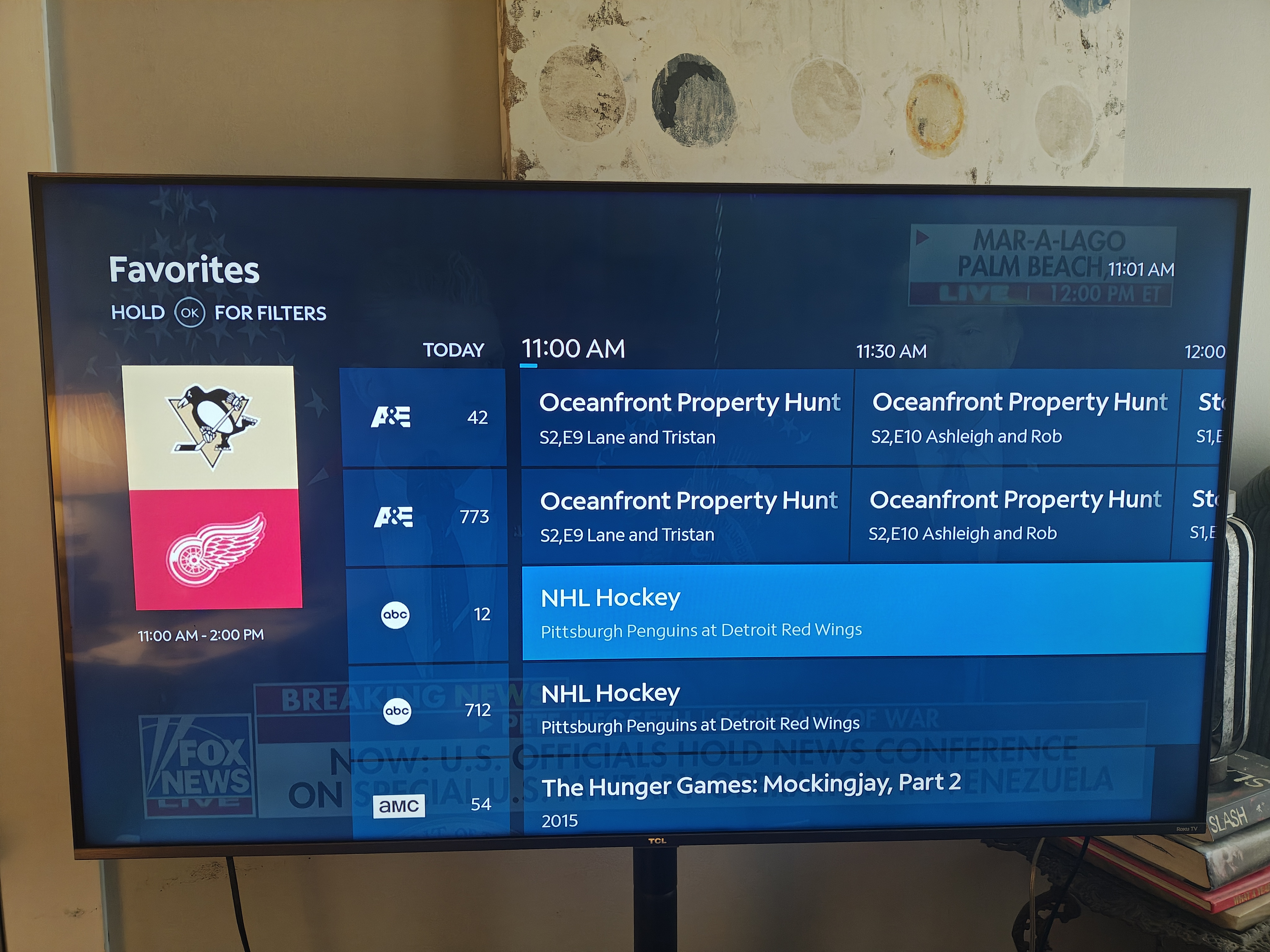
nothing.
Answers
-
This content has been removed.
-
ty for the info. What a HUGE flaw that could easily be eliminated with a setting option to remove duplicates. Every other service I have ever used that offers both SD & HD options has that setting.
1